Developer tools,
local-first.
Your standard output for dev tools — format, convert, encode, generate. 59 tools that run 100% in your browser. No backend, no signup, nothing leaves your machine.
- 100% client-side
- No signup
- Offline-ready
- MIT licensed
{
  "service": "stdout",
  "local": true,
  "tools": 59,
  "sendsData": null,
  "runtime": ["browser", "desktop"]
}
Built for speed, privacy, and trust
Everything you need for daily dev work — nothing you don't. No dark patterns, no telemetry.
Privacy first
No server, no tracking. Every tool runs in your browser — your data never leaves the machine.
Zero friction
Open and use. No account, no API keys, no install required for the web app.
Works offline
A PWA that keeps working after the first load — on a plane, behind a firewall, anywhere.
Free & open source
MIT licensed. Each tool is isolated and independently extendable. Fork it, ship your own.
Your data never leaves your device
Most "online" formatters paste your JWTs, payloads, and secrets straight into someone else's backend. stdout has no backend — processing happens in memory, on your machine.
The invisible tracking risk
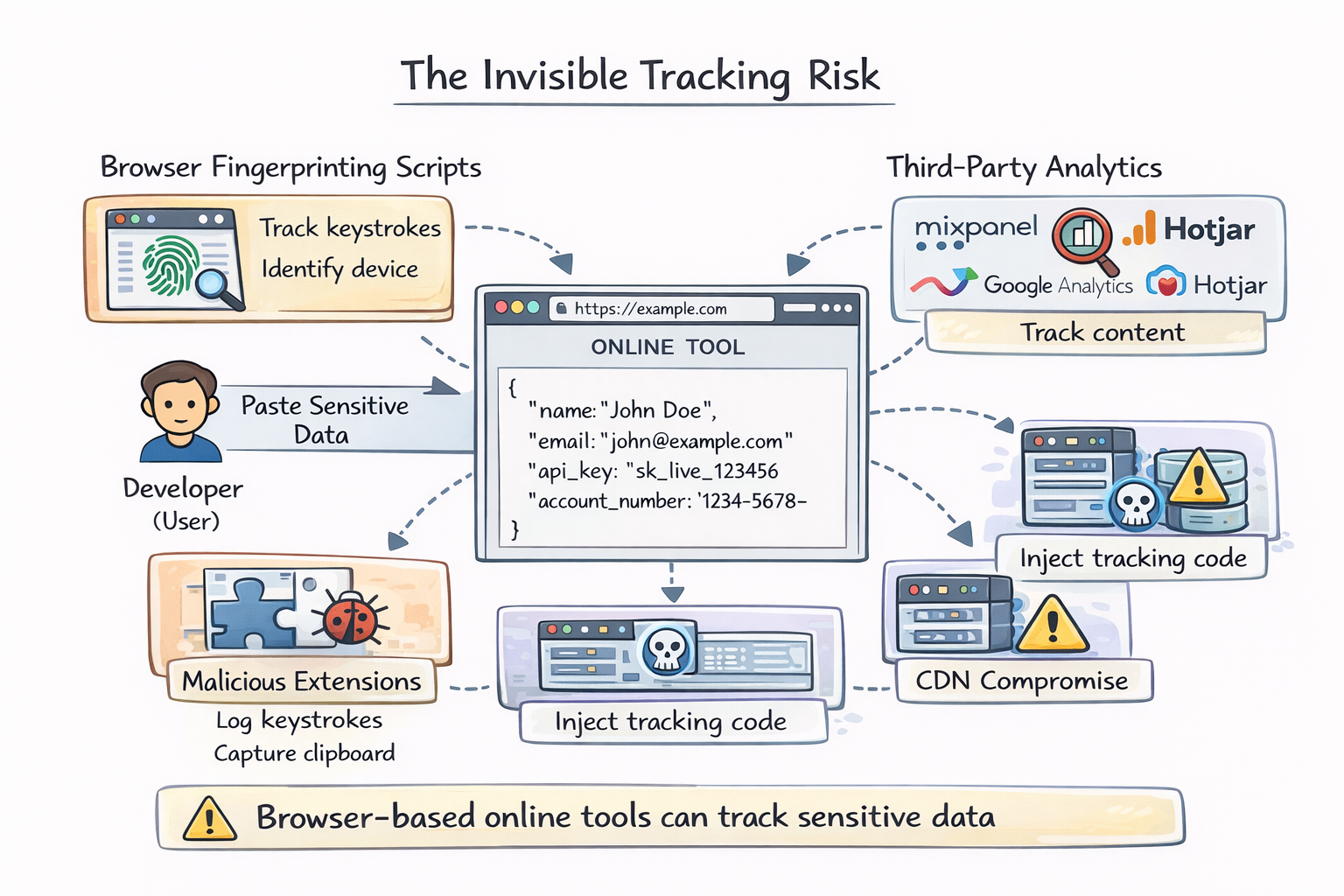
- Third-party analytics (GA, Mixpanel, Hotjar)
- Browser-fingerprinting scripts
- CDN compromise & malicious extensions
- Payloads logged on someone else's server
How stdout works
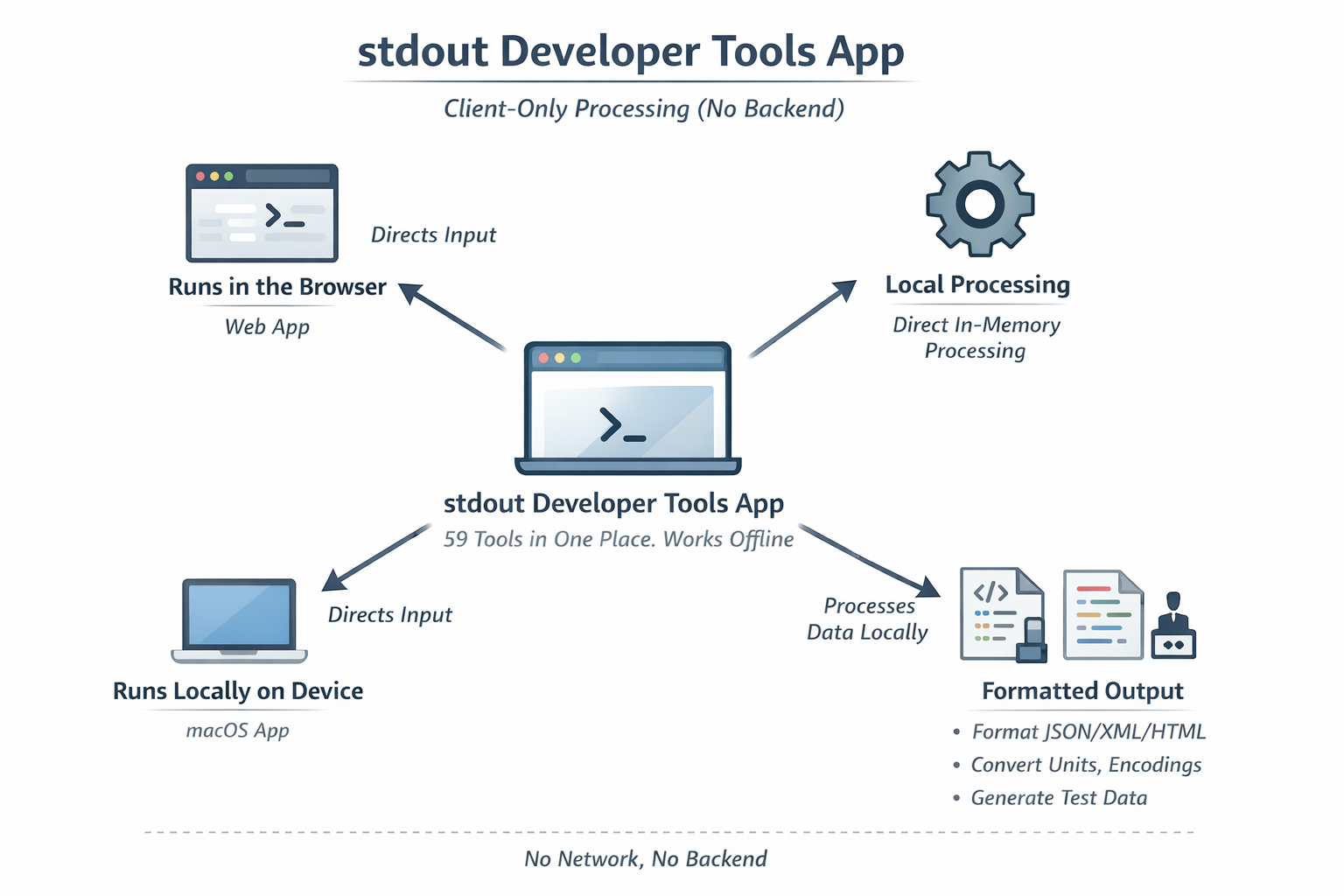
- Client-only processing — no backend
- Runs in the browser or as a desktop app
- No network calls, no payload logging
- Works offline after first load
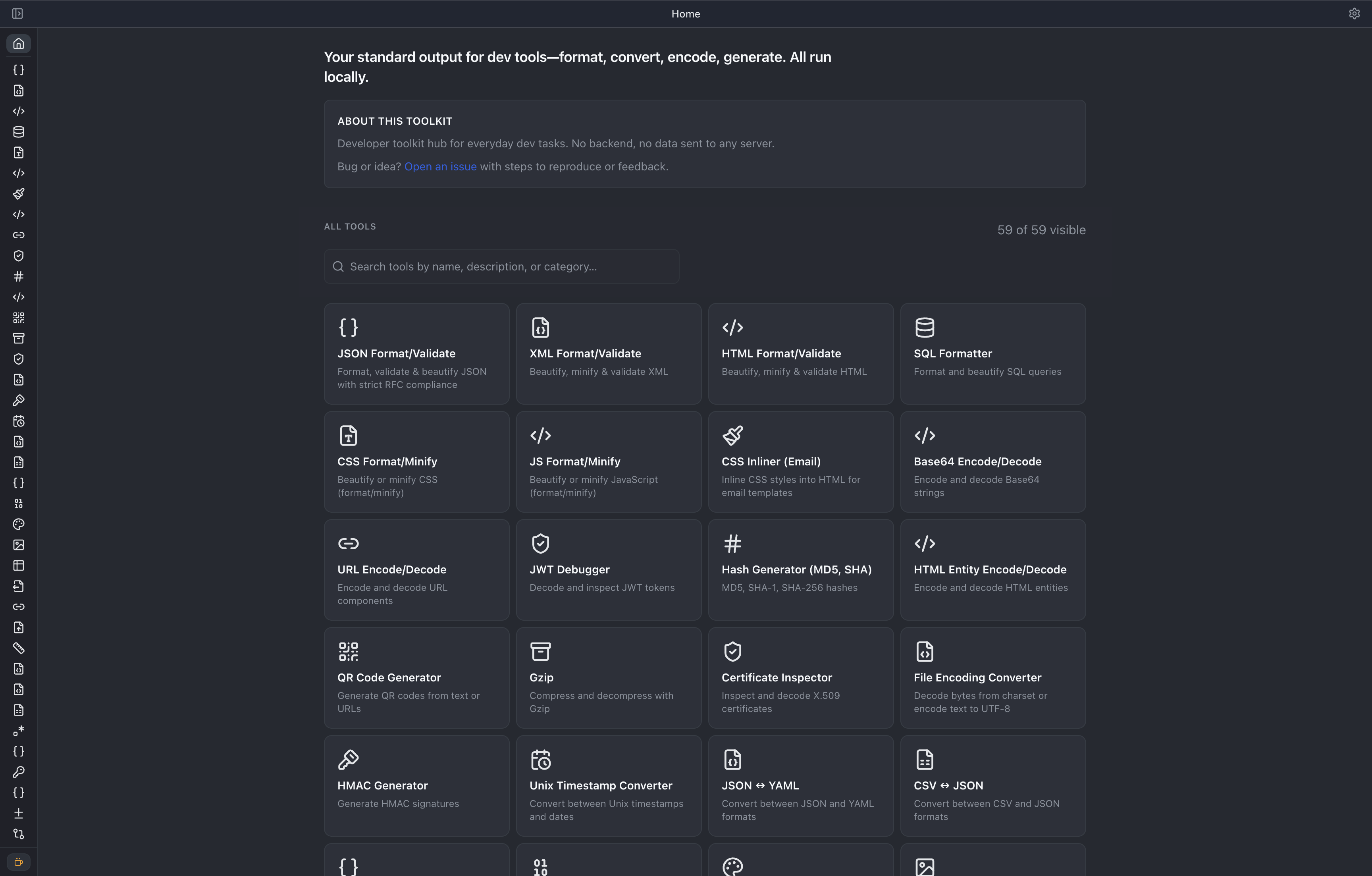
59 tools, nine categories
One app for everything that goes to your standard output — organized, searchable (⌘K), tabbed.
Formatters
Converters
Encode & Crypto
Validators
Generators
Web Resources
String & Utilities
Networking & Other
Image & Media
A workspace, not just a page
stdout works like the editor you already live in — keyboard-driven, tabbed, and fast.
-
Multi-tab workspace
Open several tools at once and switch instantly — open the same tool twice to compare two payloads.
-
JSON tree view
Collapse, search keys & values, and copy any node's JSONPath or value.
-
Command palette
⌘K / Ctrl+K to jump to any of the 59 tools without leaving the keyboard.
-
Themes
Dark, light, and OLED deep-dark — tuned for long sessions.
Use it anywhere
Run it in the browser, or install the native desktop app for offline use.
macOS
Install via Homebrew cask.
brew install --cask cminhho/tap/stdout Bring your dev tools home
Format, convert, encode, and generate — locally, privately, for free. No signup required.